- What does “supported” mean?
- Check Ruby, Rails, and hosting together
- What needs attention now, and what can be planned?
- A safe upgrade starts with the business workflows
- A checklist for founders
- Give maintenance a clear owner
Customers can log in. Payments go through. The dashboard loads. From the outside, your Rails application looks healthy.
That tells you the application works today. It does not tell you whether its framework, runtime, and hosting environment will receive the fixes it needs tomorrow.
When did someone last check?
For a founder running an established product, this is an easy question to postpone. New features have visible value. Maintenance often stays invisible until a deployment fails or a security issue forces an urgent change.
A working application and a supported application are two different things. You do not need to replace a useful product just because its stack is getting old. You do need to understand where support has ended, what that means for your application, and how to keep changes manageable.
What does “supported” mean?
Here, “supported” means the people maintaining the software your application depends on still provide fixes for the release you use. Having a developer or agency available is valuable, but it does not extend Ruby’s or Rails’ upstream support period.
There are three useful states to distinguish:
| State | What it means for the application owner |
|---|---|
| General maintenance | The release receives ordinary bug fixes as well as security fixes. |
| Security maintenance | Security fixes continue, but ordinary bugs may require your team to work around them or upgrade. |
| End of life | Routine upstream fixes have stopped. Your team must manage the remaining risk and arrange an upgrade or another explicit support strategy. |
End of life does not prove that an application has been compromised. It does mean you can no longer assume its current release will receive a fix for the next vulnerability.
Check Ruby, Rails, and hosting together
Your application depends on several layers. Updating one does not automatically bring the others into support.
Ruby is the runtime executing your code. Rails is the application framework. Hosting includes the operating system image or platform stack, along with services such as the database. Gems and native libraries have their own maintenance status too.
The following examples were checked against official sources on October 13, 2026. They are a dated snapshot; consult the linked policies before making an upgrade decision.
| Layer | Example | Why it deserves attention |
|---|---|---|
| Ruby | Ruby 3.2 reached end of life on April 1, 2026. Ruby 3.3 receives security fixes only, with expected EOL on March 31, 2027. | Check the Ruby version actually running in production and choose a supported target with sufficient maintenance runway. |
| Rails | Rails 8.0 security support ends November 7, 2026. Rails 8.1 security support continues until October 10, 2027. | An application can be on Rails 8 and still be approaching a support deadline. |
| Hosting | Heroku-22 reaches end of life April 30, 2027; builds are blocked from May 1, 2027. Existing apps can continue running. | Serving customers and being able to deploy a fix are separate capabilities. |
Sources: Ruby maintenance branches, Rails maintenance policy, and Heroku-22 deprecation notice.
For example, upgrading Rails while leaving an end-of-life Ruby version in production addresses only part of the problem. A hosting upgrade may also require changes to native dependencies that your application uses for image processing or database connections.
Ask for an inventory of the whole production environment before choosing the destination versions. A version in the repository may differ from the one deployed, so the review needs to include the running application and its workers.
The useful result is a short table: each component’s production version, maintenance status, support deadline, proposed target, and any known blockers. That gives you something concrete to plan and revisit.
What needs attention now, and what can be planned?
Outdated dependencies do not all have the same urgency. A useful assessment separates three situations.
A known vulnerability affects your application
This needs prompt technical review. Establish whether your configuration and usage meet the advisory’s conditions, then apply the appropriate remediation. Depending on the issue, the work may include investigating exposure or replacing credentials as well as updating a dependency.
A scanner finding is a starting point. Someone needs to explain what it means for your application and verify the fix.
A support deadline or deployment restriction is approaching
Put the upgrade into the delivery plan while there is time to investigate blockers and test the result. Check how much runway remains, whether the target versions work together, and what must change first.
Waiting until builds are blocked can turn ordinary maintenance into a situation where even an unrelated business fix becomes difficult to ship.
The stack is supported, but changes are becoming difficult
Recurring errors, abandoned gems, unreliable tests, and fragile deployments deserve attention even without an immediate deadline. Prioritize them by their effect on customers and delivery.
If billing changes repeatedly break background jobs, improving that workflow may bring more value than updating a dependency simply because a newer version exists.
A safe upgrade starts with the business workflows
The first question I want answered is: what must keep working while we change the application?
For a subscription product, that might include registration, payments, renewals, cancellations, and access permissions. For another business, it could be order imports, inventory updates, or accounting exports.
Those workflows define what needs verification. They also make the upgrade easier to explain to someone approving the budget: the work protects the parts of the product customers and the business rely on.
A practical sequence is:
- Inventory production. Record Ruby, Rails, gems, native libraries, hosting, databases, and background workers. Include the versions actually deployed.
- Establish a baseline. Check errors, response times, job failures, and the critical workflows. Confirm backups and understand how recovery works.
- Identify blockers. Look for abandoned dependencies, custom framework patches, deprecated behavior, and incompatible version requirements.
- Add focused coverage. Protect important behavior where tests are missing. Get the existing checks reliable enough to detect regressions.
- Upgrade in manageable steps. Choose compatible intermediate versions where needed. Keep dependency replacements and unrelated feature changes separate where practical.
- Validate and deploy. Test integrations and representative data, plan rollback or recovery, then monitor the application after deployment.
A code rollback may not undo a database or data migration. That needs its own plan before the release.
“Upgrade Rails” is too broad to be a useful delivery milestone on its own. “Upgrade this step, verify billing and background jobs, deploy, and check production” gives everyone a clearer way to judge progress.
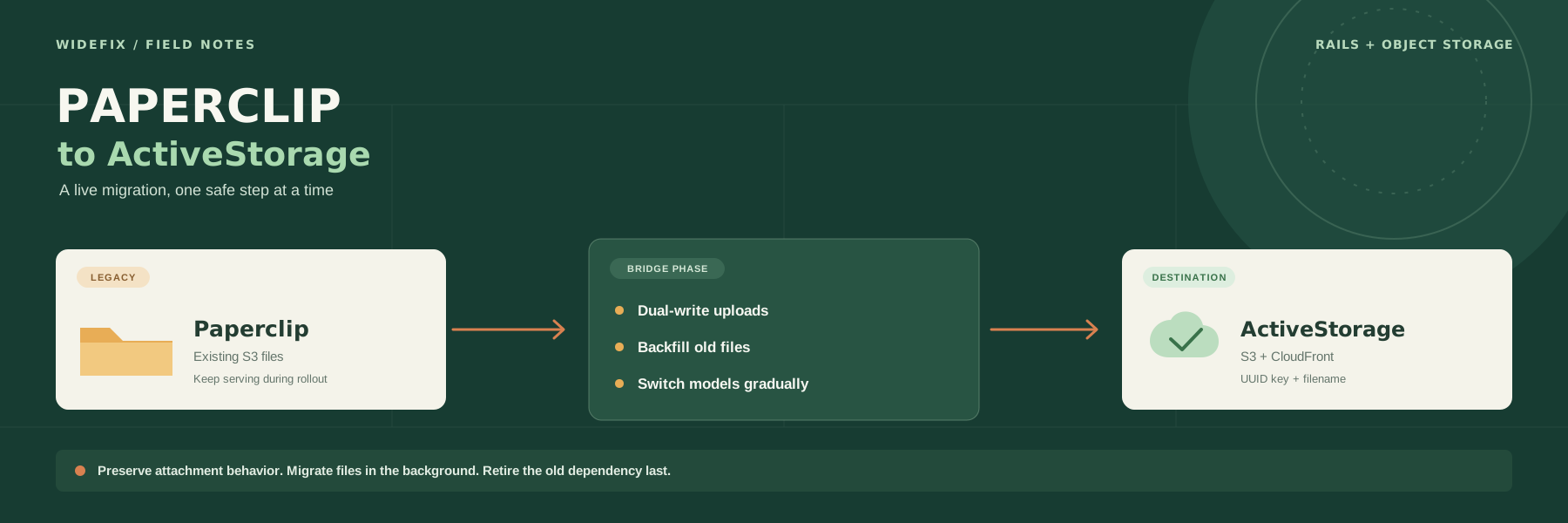
We used a staged approach when moving a live Rails application from Paperclip to ActiveStorage: preserve existing behavior, migrate incrementally, and remove the old dependency after the cutover had been verified.
My Ruby and Rails upgrade account also shows the compatibility issues that can sit behind a seemingly simple version change. Its destination versions describe that project at the time; they are not a current target recommendation.
A checklist for founders
Ask the person responsible for your application these questions:
- Which Ruby and Rails versions are running in production?
- Are they receiving security fixes, and when does that support end?
- Is the hosting stack supported, and are any deployment restrictions approaching?
- Are there known vulnerabilities relevant to our configuration?
- Which dependencies or custom patches would block an upgrade?
- How do we verify payments, permissions, jobs, and other critical workflows?
- Can we recover if a deployment or data migration goes wrong?
- Who owns this review, and when will it happen again?
The answers should lead to a short, prioritized plan: urgent remediation, scheduled upgrades, and improvements that can wait. An estimate should state its assumptions and unresolved blockers rather than hide them behind a confident number.
If a full upgrade estimate is still uncertain, ask for a bounded first step: inventory the stack, investigate the main blockers, and agree on the next milestone. You can approve that work without pretending the entire upgrade is already understood.
Give maintenance a clear owner
An established Rails application represents years of business rules, integrations, and customer behavior. Keeping that investment healthy requires someone to track support deadlines, investigate production problems, and follow changes through deployment.
At WideFix, we take ownership of maintaining and improving existing Rails applications. Our legacy Rails maintenance work includes incremental modernization, dependency replacements, and upgrades around the needs of a live product.
If you are unsure where your application stands, contact us with the versions you know and the problems you are seeing. We can assess the application and propose a practical upgrade plan that protects the workflows your business depends on.