
Brief description
Locomotive CMS is an open-source content management system based on the Ruby on Rails framework.
It uses MongoDB for its backend and supports deployment with all Rails web servers, such as unicorn, passenger and puma. It provides configuration for connecting to SendGrid and S3, and there is also a gem that allows you to deploy loco to Heroku. This means that you can have an absolutely free website on the internet (certainly not without limitations, as I have already said here).
Features
- Provides a multisite content management system
This means that you are able to create many sites within one admin space, give them domains and manage content from one place - loco’s admin.
- Internationalized admin interface
English, Brazilian Portuguese, Norwegian, Estonian, German, Italian, Spanish, French, Dutch and Russian languages are available for now.
- Ability to define models with custom fields and associations between them
It’s the main benefit of the system in my opinion. You can define a model with these field types: text fields for text areas, text fields for text inputs (for text shorter than 255 characters), select, date, checkbox and file (!!!) (based on the CarrierWave gem). The available associations between models are belongs_to, has many and many to many. You define the model in the UI, and it doesn’t require a developer at all.
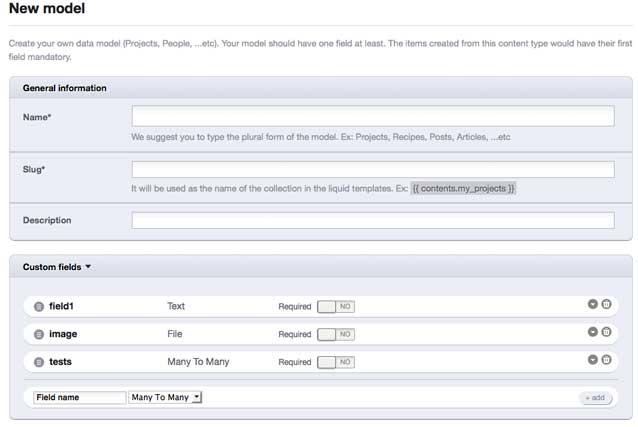
- Ability to create entities for your models
After defining a model, you can add entities for it and associate other entities according to the model associations you defined.
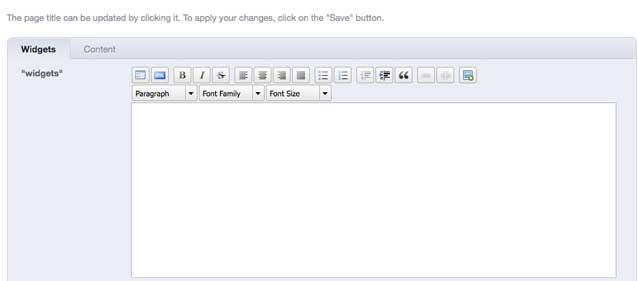
- Simple and powerful visual editor for site content
It uses the nice WYSIWYG TinyMCE editor.
- Inline editing
You can edit site content even on the frontend. You don’t have to go to the admin area to change it — just click the inline editor link, and that’s it!
- Supports cloud systems
As I have already said, it supports cloud systems like Amazon S3, Heroku, MongoHQ and SendGrid out of the box.
- Liquid templates
With Liquid templates, you can show dynamic content from your defined model entities. Liquid is quite a simple language and doesn’t require a lot of programming knowledge. I’m sure every HTML coder can use it!
- SEO tags out of the box
Just paste a Liquid tag into the layout or a specific page, and it will generate SEO tags automatically!
- Layout system
Just define your main layout once, have other pages inherit from it, and replace the required blocks. Very simple and powerful!
- Google Analytics out of the box
- Pagination out of the box
- Content localization
- Navigation out of the box
There is a Liquid template that generates the site’s main menus automatically.
- API
The API connects the admin area with the frontend and allows you to create your forms in the frontend — great!
Conclusion
I’m using this content management system for one of my projects, and it is awesome. I’ve fallen in love with Locomotive CMS — it’s exactly what I’ve been looking for for ages. No doubt, it is the best content management system today. To get started after installation, I would recommend reading this post, which describes the steps for beginners. Unfortunately, there isn’t as much information (documentation) as I would like, and sometimes I read the Locomotive CMS source to understand how it works. But you have me ;) I will be glad to see your questions and answer them with pleasure. Thanks for reading!
