My previous post Financial plan on PostgreSQL shows how to build primitive software that helps with financial planning. Unfortunately, not everyone can use it, because it needs SQL knowledge. In this post, you will see how to reuse that post’s results to make a user-friendly web application built on Rails.
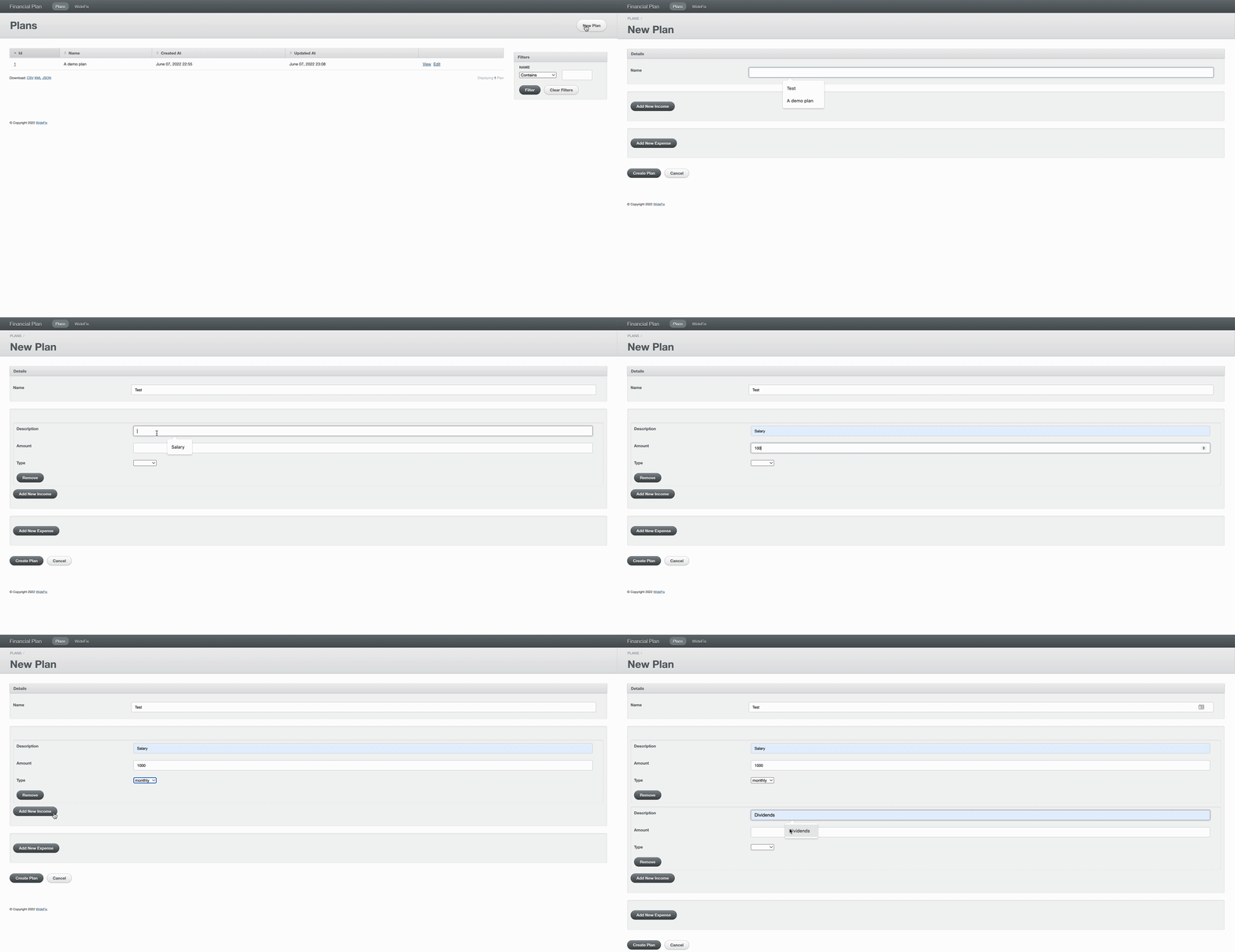
Here is the application we are about to make, in action:
Tools
Rails is a handy web development framework that saves a ton of time when building a Proof of concept (PoC), a Minimum viable product (MVP), a pet project, which can later be extended greatly. Eventually, a Rails project can turn into a unicorn such as Shopify or Twitter.
Furthermore, with additions like ActiveAdmin we can build a web application in a moment without writing front-end code. That’s very beneficial since building user interface (UI) takes much time. But for a starting project (PoC, MVP) UI is not very critical.
To minimize development time as much as possible we take Rails and ActiveAdmin. In the end, we will have a ready-to-use web application that’s ready for any changes in the future.
Requirements
Typical app usage will look like this:
- Create a plan with some name.
- Add income and expenses to it.
- Observe the calculated plan within a table.
Later the expenses and incomes can be adjusted or supplemented with more entries. The results should be recalculated immediately.
Implementation
According to the requirements, the application should have the following entities: Plan and Income with Expense belonging to the Plan.
In short, we should do these steps:
- Define these entities on a fresh Rails app with several Rails generator’s commands.
- Create the view with results from the Financial plan on PostgreSQL post. I prefer the Scenic gem for that. In short, it’s very handy, especially when it comes to amending views in the future.
- Create a model that uses the views as a data source. Note, normally a Rails model takes data from a table, but here I’m going to use the view (a virtual table) to feed the model.
- Install the ActiveAdmin gem into the project and configure it to use the defined models above so that users can create a plan, add incomes and expenses, and finally see the results.
- Deploy the code onto hosting so that the app can be used by everyone. I prefer Heroku for that: it’s free for small projects that serve few users at a time.
The final code lives here and this is the live app.
Further, the app can be easily extended. For example, it can take into account one-off expenses and incomes.
Building this application and publishing it on the Internet took just 2 hours. All of that is thanks to ActiveAdmin’s autogenerated UI. Rails generators created models and defined their tables and relations between them. ActiveAdmin configuration also took some time. And finally, Heroku provides the infrastructure to publish the code online very quickly, with no configuration.
For sure, all of that is not for free: it requires special knowledge and experience working with the gems and this approach.
In this article, you saw how to transform a raw idea that’s implemented in pure SQL into a Web application.
Conclusion
This post demonstrates how a primitive subtask solution (financial plan on PostgreSQL) can be reused by a more complicated and important task that’s a ready Web application.
Nowadays, the mix of technologies around Ruby allows us to build mature software quickly.