Keep teammates moving
Authorized teammates can reveal and copy a code themselves, without sending a message or waiting for a reply—even when the person who set up the account is in a meeting, on leave, or working in another time zone.

Built by WideFix for our own team
Stop waiting for someone to send an authentication code. Shared Team Authenticator lets teammates get the codes they need and keep working.
Self-hosted web application · Source code available · MIT license
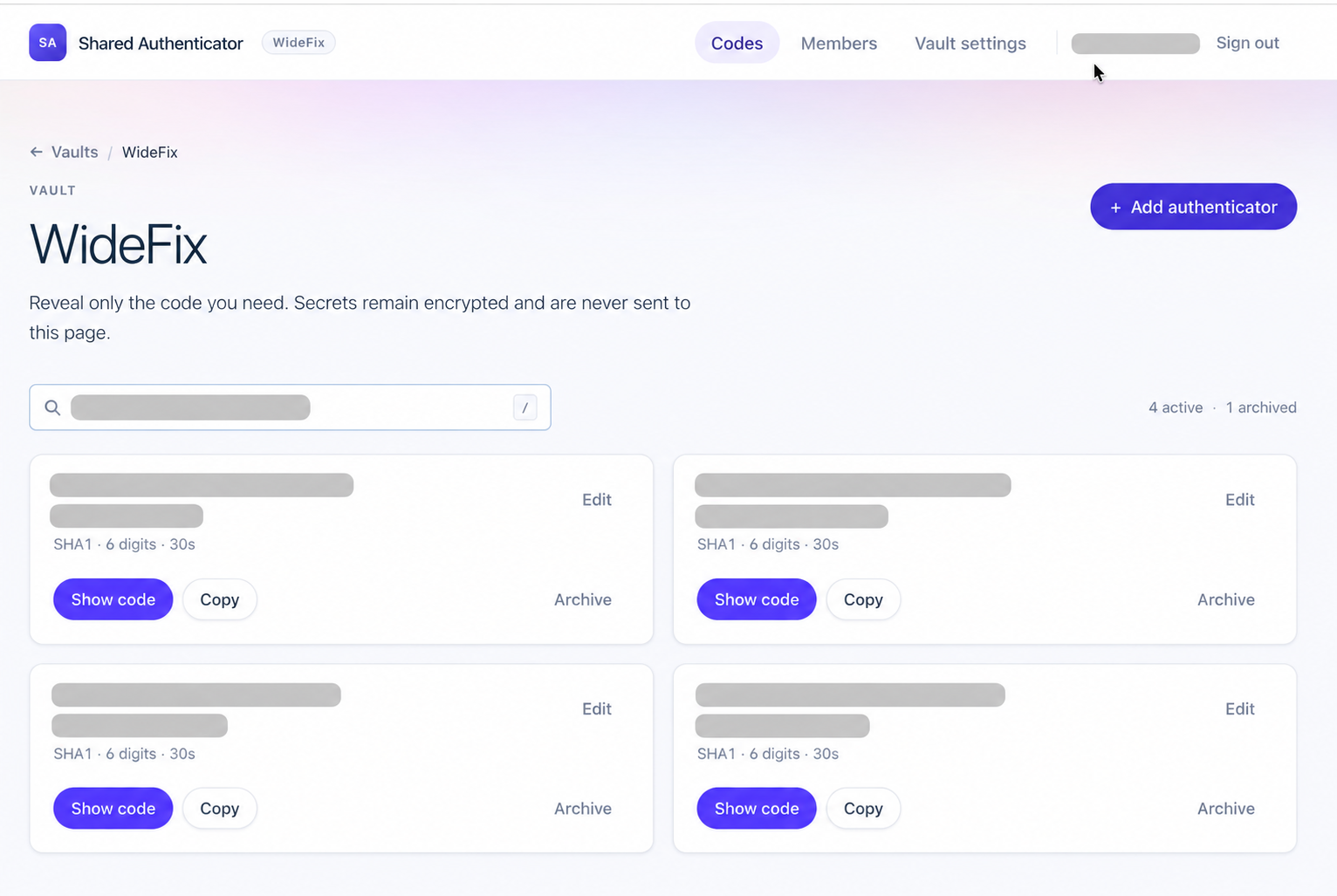
Less waiting, fewer interruptions
At WideFix, we sometimes need shared accounts for development tools, CI/CD components, and staging integrations. When the authenticator lives on one person’s phone, everyone else depends on that person being available. We built this tool to remove that dependency.
Authorized teammates can reveal and copy a code themselves, without sending a message or waiting for a reply—even when the person who set up the account is in a meeting, on leave, or working in another time zone.
The person holding the authenticator no longer needs to stop their work whenever someone else signs in.
Keep the authenticators for a project together in a vault. Teammates can find the codes relevant to their work in one place, rather than asking who has the right authenticator.
Invite a teammate, assign their role, and give them access to the vaults they need. They can get codes independently without setting up each shared account’s authenticator on their own phone. Update or revoke access as responsibilities change.
Install the application in your own environment and manage its deployment and backups with your team.
The MIT-licensed code lets your team use and modify the tool to fit how you work.
Practical team access
Let teammates access a shared development or testing account without relying on one person’s device.
Give authorized engineers access to account codes when they need to investigate a build or deployment.
Help developers and testers sign in to shared third-party test accounts as they work on integrations.
Choose who can access what
Invite members, assign their role, and select their vaults. Teammates get access to the authenticators relevant to their work.
Reveal only the code you need. Authenticator secrets remain encrypted and are not sent to the codes page.
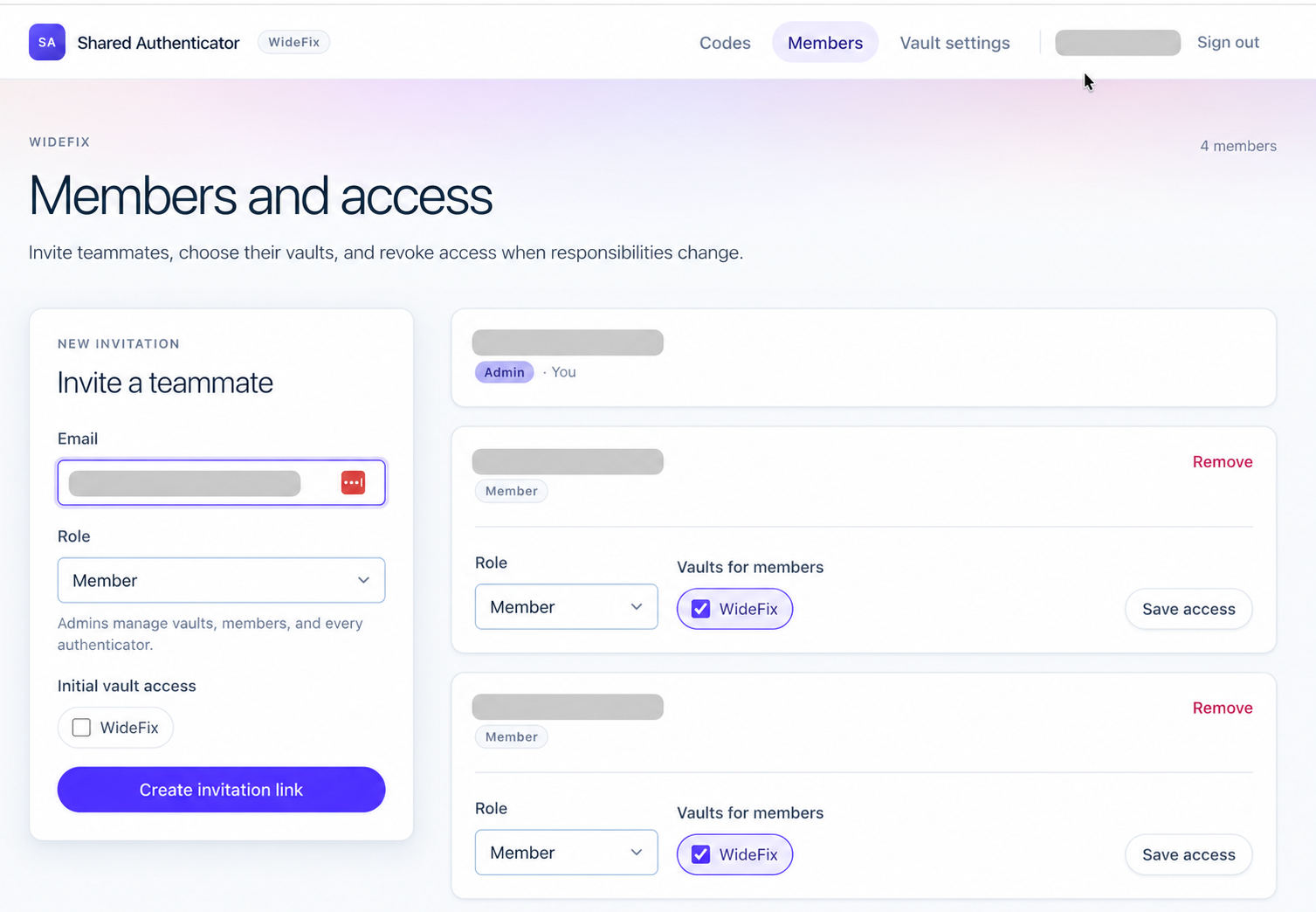
Product screenshots with account names and personal information redacted.
Benefits and tradeoffs
We built Shared Team Authenticator to make our own team’s work easier, then open-sourced it so others can use and adapt it. It suits teams that want shared authentication codes on their own infrastructure.
Your team manages hosting, updates, backups, and service availability. There is no hosted service to sign up for. Keep a recovery plan for shared accounts in case the app is unavailable.
The app focuses on authenticator codes and team access to them. Keep using your password manager or existing process for account passwords.
If your password manager already provides shared authentication codes, using that feature may be simpler than running another app. A hosted service may suit teams that prefer a provider to manage the infrastructure.
Two ways to get started
At the moment, we share the source code only. There is no hosted service to sign up for. You can install it on your own infrastructure, or reach out to WideFix for help getting it running.
Follow the repository’s installation guide to run it locally, then use the deployment documentation to set up your team’s environment. The application uses PHP, Laravel, and SQLite.
View code and installation guideIf you need repository access, contact us and we can help.
Tell us about your team and where you want to run it. We can help with installation, deployment, configuration, or changes to fit your workflow.
Discuss your setupNo. We currently share the code for you to install and operate yourself. WideFix can help you set it up.
It focuses on authenticator codes and team access to them. You still manage account passwords separately.
Yes. The project is MIT licensed. You can use and adapt it for your own team under the terms of that license.
Teams that already use shared accounts for development, testing, or integrations and need independent access to authenticator codes. Use it where the account provider permits shared access.
